


Document Reader PDF Reader
3.182.00 Reviews
App Specs
- Version
- 7.3.0
- Updated On
- License
- Free
- Downloads
- 1,000,000+
- Developer
- SwiftBiz Apps
- Categories
- Productivity
- Platform
- Android
Screenshots
 Analysis by AppCompare
Hey there! If you're anything like me, juggling between multiple documents on your phone can be a bit of a headache. That's why I recently checked out the Document Reader PDF Reader app, and let me tell you, it was quite the experience. Let me walk you through this app, and maybe you'll find it as handy as I did.
Start with the kind of reading you do
Before choosing a document app, I’d ask what I actually need from it: a quick way to open files, a place to review several formats, or a serious workspace for creating and revising documents. Those are different jobs. A dedicated PDF tool may suit someone who spends the day marking up contracts, while an office suite may be a better fit for people who regularly build spreadsheets or presentations. This app sits most naturally in the middle: it is a free productivity app from SwiftBiz Apps intended to bring common office documents and PDFs together for reading on a phone.
That distinction matters because a mobile screen is useful for checking a file, but it is rarely the best place to do careful layout work. I’d judge a reader by how easily I can locate a document, scan it without losing my place, and move on to the next task. The app has an average rating of 3.8 from around 4,700 ratings, with over a million installs. That gives a prospective user a sense of its broad reach, but I would still test it with the specific files I handle rather than treat popularity as proof that every document will behave perfectly.
First Impressions
When I first downloaded the Document Reader PDF Reader, I was curious to see if it could really make my life easier. Spoiler alert: it did! The installation was a breeze, and once I opened it, I was greeted with a clean and intuitive interface. No unnecessary clutter, just what you need right there at your fingertips.
Features That Stand Out
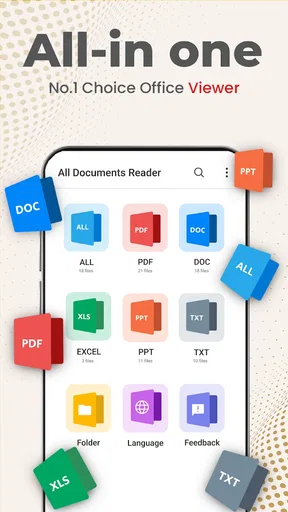
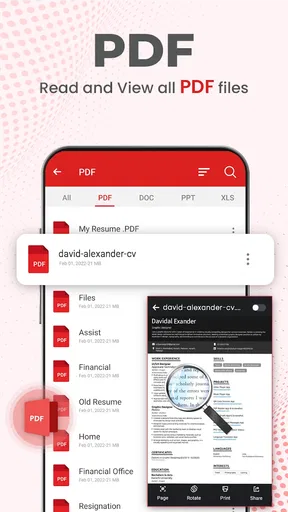
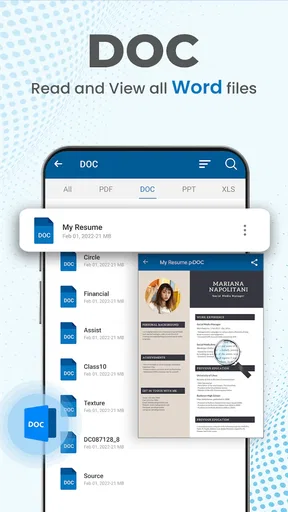
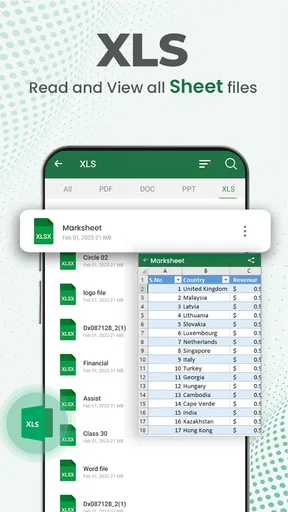
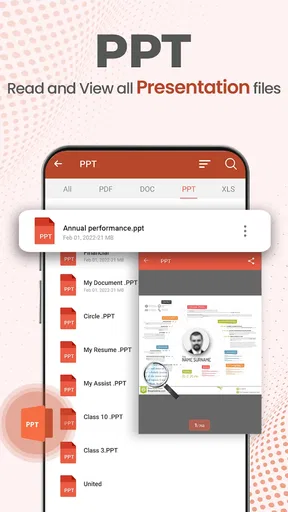
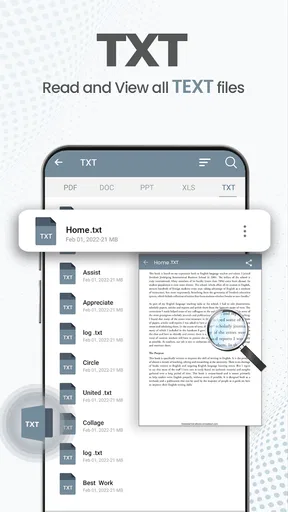
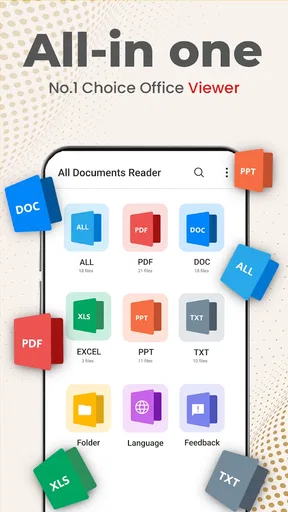
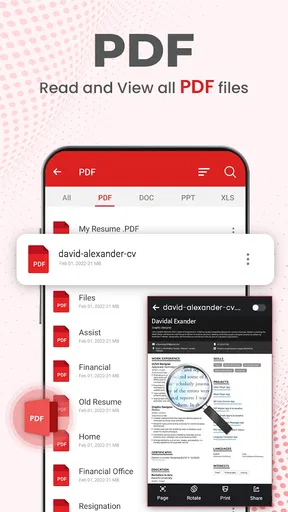
One of the first things I noticed was the app’s ability to handle a wide range of document formats. It's not just about PDFs; you can open DOCs, XLS, PPT, and more. This versatility is a game-changer, especially when you’re on the go and need to access different types of files quickly.
The app also supports cloud storage integration, which means you can easily access your documents from Google Drive, Dropbox, and other services. This feature is a lifesaver if you frequently work across multiple devices.
A practical way to use several formats
The real convenience of a multi-format reader is not simply having a long list of supported file types. It is being able to move between a written brief, a spreadsheet, and a presentation without deciding which separate viewer to open each time. For example, if a colleague sends a presentation and a spreadsheet before a meeting, I can use one app to check the slides and inspect the figures, then return to the brief for context. That makes this kind of tool especially useful for students, people who travel with work files, and anyone who mostly needs to review rather than author documents.
Worth Reading Before You Choose

EA SPORTS FC Mobile 26 Is a Bigger Football Game, but It Takes Time

Flipboard Shows What News Apps Must Do Beyond the Feed

Switching to Android Auto Means Rethinking Your Driving Routine

Google Calendar Makes a Crowded Week Easier to Manage

Ludo King Makes the Most of the Minutes Between Plans

Baby Panda World Brings Quick Play to Modern Phones, but Its Game Library Feels Busy
Cloud access can also change the routine, but I’d treat it as a convenience rather than a substitute for organizing files. I’d keep important documents in clearly named folders and open them from the service where I already store them, instead of making several uncertain copies on my phone. That simple habit makes it easier to tell which version I’m looking at. If a file is sensitive or time-critical, I’d check that it opens correctly before leaving Wi-Fi or heading into a meeting; a cloud connection is helpful, but it is not a reason to assume every file is already available offline.
The Reading Experience
Let’s talk about the reading experience. Scrolling through documents feels smooth, and the app offers options like night mode, which is perfect for late-night reading sessions (trust me, your eyes will thank you). There’s even a text-to-speech feature! I was surprised by how well it worked, turning any document into an audiobook of sorts.
Making mobile review less awkward
On a phone, the hardest part of reading a dense document is often keeping your attention on the right section. Night mode can make a long evening read more comfortable, while text-to-speech offers another way to work through written material when looking at the screen is inconvenient. I’d use speech to listen for the broad structure of a report or revisit familiar material, rather than rely on it to catch every detail in a table, chart, or complex layout. Listening is useful for a first pass; close visual checking is still the safer choice when exact wording or figures matter.
A practical workflow is to use the app for triage: open a file, identify the pages or sections that need attention, and mark them before returning later for a careful review on a larger screen. This is where a mobile reader can save time without pretending to replace a computer. If I needed to make extensive changes to a presentation or spreadsheet, I’d move to a dedicated editing tool. The phone is excellent for a quick check and less forgiving when precision editing becomes the main task.
Annotating and Editing
If you're like me and love scribbling notes, the annotation tools will be right up your alley. Highlighting text, adding comments, or even drawing directly on the document is a breeze. The editing tools are intuitive and responsive, making it easy to mark up documents without any hassle.
Choose annotations with the next reader in mind
Marking a file can be more useful than trying to remember every question after reading it. I’d use highlights for passages I need to revisit, comments for questions that require a reply, and freehand marks only where a quick visual pointer is clearer than a note. That keeps a review legible if I later share it with someone else. Before sending an annotated document, I’d reopen it and check that the marks are visible and placed where I intended; a quick check is particularly worthwhile when the file will be used in a meeting or as the basis for a decision.
There is also a useful trade-off here: notes made directly on a document keep feedback close to the source, but they can make a page busy. For a short form or a few pages, that is often ideal. For a long report with many comments, I’d keep annotations restrained and use a dedicated collaboration or editing workflow if several people need to resolve feedback. A reader is most valuable when it makes review easier, not when it encourages every task to happen on a small screen.
Performance and Usability
Performance-wise, I found the app to be quite snappy. It loads documents quickly and doesn’t lag, even with larger files. Usability is top-notch too, with a user-friendly design that doesn’t require a steep learning curve.
Where a different tool may be better
Compared with using separate viewers for PDFs, word-processing files, spreadsheets, and slides, a single reader can reduce app-hopping and make casual file checks simpler. The trade-off is that a general-purpose reader is not automatically the strongest choice for every format or workflow. Someone who spends most of the day editing spreadsheets may prefer a spreadsheet-focused app, while a person who needs precise PDF markup or page arrangement may be happier with a specialist PDF tool. If collaboration, complex formatting, or extensive document creation is central to the job, I would choose software built around those tasks and use this app as a convenient companion.
For everyday use, I’d also try a representative file before depending on the app: one PDF with several pages, one document with formatting I care about, and a spreadsheet or presentation I need to inspect. That small test tells me more than opening a simple file once. It helps reveal whether the way a particular document displays is comfortable enough for my needs and whether I should keep a second, specialist app available for important work.
A Few Things to Consider
No app is perfect, and while Document Reader PDF Reader is impressive, there are a couple of things I noted. The free version offers plenty of features, but there are some premium options locked behind a paywall. If you're a casual user, you might not miss them, but power users might want to consider upgrading.
Another point is the ads. While they’re not overly intrusive, they’re still there, and if you’re someone who gets easily annoyed by ads, it might be worth looking into the ad-free version.
Check the fit before building a routine around it
The app is free to install, but it includes in-app purchases ranging from about $15 to $50 per item. I’d begin with the free experience and only consider paying if a particular premium option solves a problem I actually encounter. That is a better approach than upgrading on the assumption that paid features are essential. The app is rated for Everyone, and its current version is 7.3.0; it was released in January 2021, with Android 8.0 as the minimum operating-system requirement.
One question people often have is whether this can replace a full office suite. I would not treat it as a replacement for a desktop workflow if I needed to create or carefully revise complex files. Its strongest everyday role is having common document formats available for reading and review. Another sensible question is whether it suits occasional use: yes, if the main goal is opening files without maintaining a separate reader for each format, though ads may be a drawback for someone who uses it constantly.
I’d also ask whether cloud access means I can stop thinking about file management. In practice, I wouldn’t. Keeping folders tidy and checking that the correct version is open remain useful habits, especially when a document has been shared or revised. And if I’m preparing feedback for a colleague, I’d test the annotation workflow on a low-stakes file first so I know how my notes appear before using it on something important.
Final Thoughts
All in all, the Document Reader PDF Reader app is a solid choice if you’re looking for a versatile document viewer. It’s packed with features that cater to both casual users and those who need more robust capabilities. From its ease of use to the variety of supported file types, this app has a lot going for it.
If you’re in need of a reliable document reader, give this one a shot. It might just become your go-to app for all things document-related. Happy reading!
Who I’d recommend it to
I’d recommend it to someone who regularly receives different kinds of files and wants a straightforward way to read, listen to, or mark them on a phone. It is also a reasonable option for students reviewing class materials and for workers who need to check a file between appointments. The mix of formats, cloud access, and annotation tools makes it more useful than a basic PDF-only reader for those mixed, everyday tasks.
I’d skip it as my main tool if I needed advanced document production, dependable team-based editing, or a specialist workflow built around one format. In those cases, an office-focused editor or dedicated PDF application is a better match, even if it means keeping more than one app installed. My recommendation is to try the free version with the documents you actually use, keep the tasks realistic, and pay only if a premium option proves worthwhile. For quick mobile reading and review, it earns a place; for serious editing, I’d pair it with a more focused tool.
Pros
- Supports multiple file formats seamlessly.
- Offers offline access to documents.
- Simple and intuitive user interface.
- Quick search feature for easy navigation.
- Customizable reading modes for comfort.
Cons
- Ads can be intrusive at times.
- Limited advanced editing features.
- Occasional lag with large files.
- No cloud storage integration.
- Subscription required for premium features.
FAQs for Document Reader PDF Reader
What features does the Document Reader PDF Reader offer?
The Document Reader PDF Reader offers a variety of features including the ability to open and view PDF documents, annotate files with highlights and notes, and convert PDFs to other formats like Word and Excel. It also supports cloud storage integration, allowing users to access documents from platforms like Google Drive and Dropbox.
Is the Document Reader PDF Reader compatible with both Android and iOS devices?
Yes, the Document Reader PDF Reader is available for both Android and iOS devices. It is optimized for smartphones and tablets, ensuring a seamless user experience across various screen sizes and operating systems. Users can download the app from Google Play Store or Apple App Store.
Does the Document Reader PDF Reader require an internet connection to function?
While the Document Reader PDF Reader can open and read PDFs offline, certain features like cloud storage integration and online file conversion require an internet connection. Offline mode allows access to previously downloaded documents, making it convenient for users who need to work on the go.
Are there any in-app purchases or subscriptions in the Document Reader PDF Reader?
The Document Reader PDF Reader offers a free version with basic functionalities. However, to access advanced features such as premium annotation tools, ad-free experience, and enhanced cloud integrations, users may need to purchase a subscription or make in-app purchases.
How secure is my data with the Document Reader PDF Reader?
The Document Reader PDF Reader prioritizes user privacy and data security. It uses encryption protocols to protect your documents and personal information. Additionally, it complies with industry-standard security practices to ensure that your data remains private and secure during any file transfers or cloud interactions.


